




Take the shot.
Then sell it.
Make a collection. Send a QR code. Get paid for the originals.
Free to share. You only pay Stripe's card fee when you sell.

- No install to viewThe gallery opens in any phone browser.
- Originals stay lockedBuyers see 640px thumbnails until they pay.
- ZIP when they buySingle files or the whole collection.
Every collection is a link and a QR code
Scan it and the gallery opens. Add a price and the same page becomes a shop.

Points at the Android build. Collection QRs work exactly the same.







What buyers see, and when files unlock
- Anyone with the link sees the 640px thumbnails. No account, no app.
- Originals, single downloads and ZIPs stay locked until payment.
- Checkout is Stripe's own page: card, Apple Pay or Google Pay.
- The webhook records the purchase, and the originals unlock for that buyer on any device.
- Owners and invited editors always have full access.
Private by default
Your server, your photos, no trackers.
-
Your storage, not ours
A private bucket, streamed through an access check.
-
No trackers
No analytics, pixels, ads or third-party scripts.
-
Buyers stay anonymous
No account, and their email only goes to Stripe.
-
Deletes on a schedule
1 to 3650 days, storage included.
What the server actually stores
- Accounts: name, email and a bcrypt password hash.
- Photos and metadata, in a private bucket — originals only ever stream through an access check.
- Sessions as HTTP-only cookies, collection membership, and purchase records from Stripe.
- Nothing else. No analytics, no third-party fonts or scripts, no ad tech.
- Scheduled deletion removes the storage objects, photo rows, members and purchase records within the hour.

Open source under the MIT license — read the code or follow the setup guide.
How it works
Three steps from camera roll to paid.
-
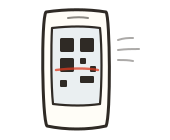
Make a collection
Add photos from your phone, or paste links.
-

Send the QR code
No install and no account needed to look.
-
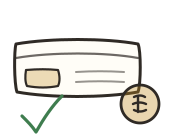
Get paid
Set a price. Stripe takes the card, originals unlock.
Get the app
One app for shooting and uploading. Everything else works in a browser.
-
Download APK
Android
About 33 MB. Sideload it and allow unknown sources.
-
iOS build guide
iPhone and iPad
No App Store listing. Build it to your device with EAS.
-
Deploy your own
Web
Runs anywhere. Deploy your own copy in one click.
-
Download source
Source code
Expo app, Express API and Supabase schema.
Open the file, allow install from unknown sources, then sign up.
Which one should I pick?
- Shooting on Android? Sideload the APK.
- On iPhone? Deploy the web app and add it to your home screen. No build needed.
- Want both apps plus the API? Take the source.

Questions
The short answers.
Is it really free?
Creating, uploading and sharing cost nothing. You only meet money if you price a collection — then it's Stripe's card fee.
Do people need the app to see my photos?
No. A link or QR code opens the gallery in any phone browser.
What happens after someone pays?
Stripe confirms the checkout, the purchase is recorded, and every original unlocks for that buyer — ZIPs included.
Which files can I import?
Your device's photos, direct image links, Google Drive links, or any page with an og:image tag. Ten at a time, 25 MB each.
Is my data safe?
Private bucket, bcrypt password hashes, HTTP-only sessions, and row level security on every table.
Can I run it myself?
Yes. Bring your own Supabase project and Stripe keys.